
Kavranta
A local-first desktop app for editing, linking, encrypted sharing, and deploying existing environment files, giving AI limited operations rather than unrestricted secret access.
- Platform
- macOS · Windows · Tauri · React · Rust
- Role
- Product · Desktop development · Security design
- Period
- 2026.08 — in development
Status
In development
Latest release
v0.7.20
Install
Homebrew
Scope
- Planning
- Design
- Development

Why I started
Building a GitHub Actions deployment pipeline made the problem clear. Values went into local environment files, then GitHub Secrets, then deployment targets such as Cloudflare or AWS. Updating one value meant copying it between several screens and keeping track of which was current.
I wanted one place to organize variable structure and destinations, selecting only the values to apply to infrastructure. I also wanted AI to help with structure without exposing secrets.
Kavranta works on the environment files projects already use. It is a control surface for organizing and safely editing those files, rather than requiring migration to a new vault. It evolved from Env Manager into a tool covering team handoff and post-deployment checks.
Preserve existing files
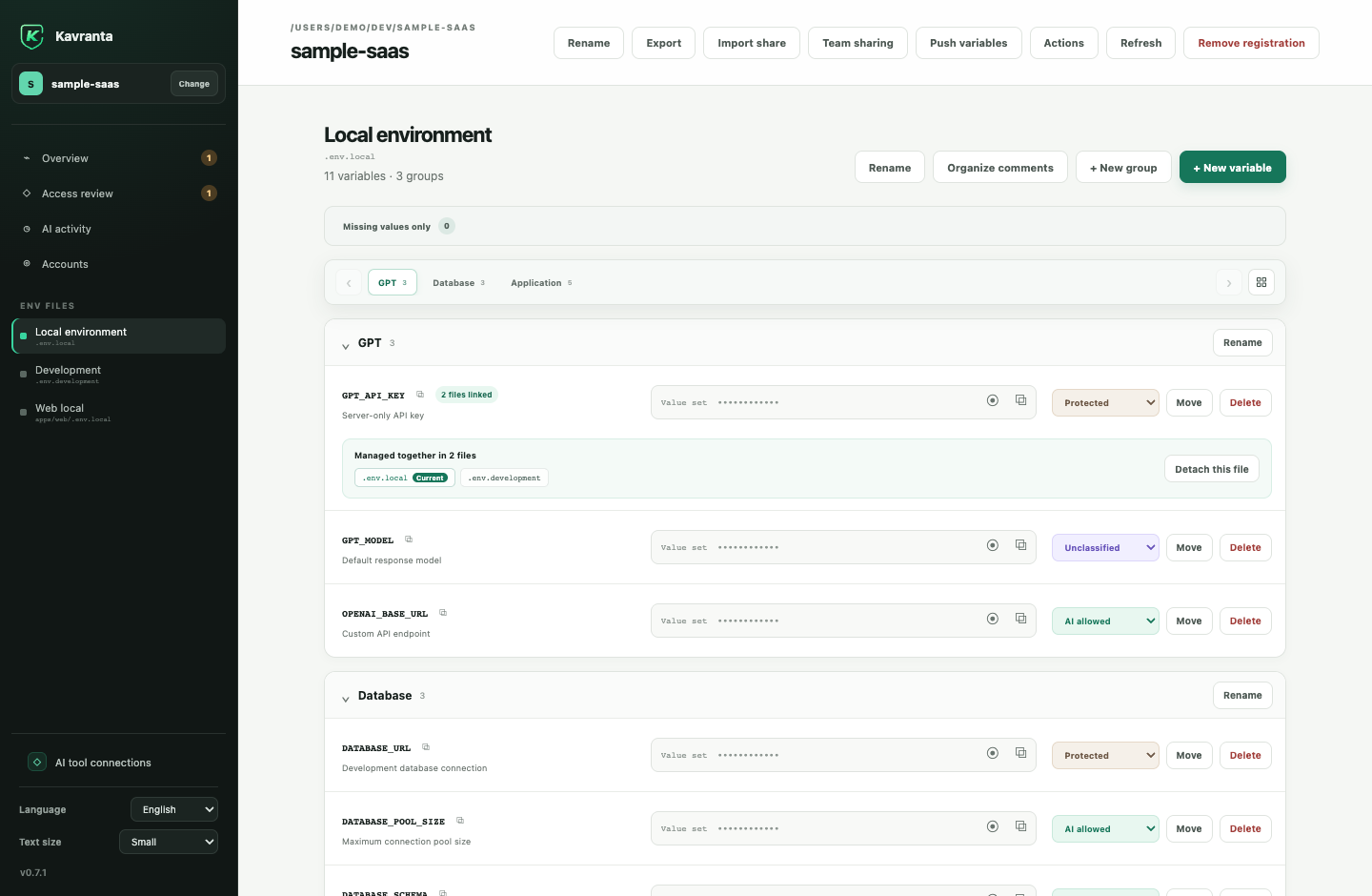
The app searches only registered projects. Values remain in their original locations, and edits preserve comments, variable order, quoting styles, and line breaks.
Matching names do not imply matching values. Independent values, runtime overrides, and intentionally linked values are distinct; only explicitly linked items change together.
Project overview surfaces missing values, AI policy reviews, parsing warnings, and Git risks. The editor can focus on unfilled variables so initial setup starts with what still needs attention.
Define the boundary between agents and values
The Rust core is the authority for discovery, parsing, policy checks, link validation, and file changes. A local broker exposes narrow operations to AI. By default, agents see names, paths, presence, and relationships. Protected values cannot be read. Explicitly classified read-write values are available only through dedicated operations.
Codex, Claude Code, GitHub Copilot/VS Code, and Cursor use the same broker policy. Ordinary structural queries hide even read-write values; operations requiring actual values are separate.
Make safe changes part of the product
Edits pass through current-state checks, planning, reparsing, validation, and conflict detection before writing. Linked saves show which files will change, while external conflicts remain visible for the user to decide. React receives narrow view models, and protected values are kept out of long-lived general frontend state.
Let users decide deployment scope
Selected variables can be sent to GitHub Actions, Cloudflare Workers, Expo EAS, AWS Secrets Manager, and SSM Parameter Store. The app verifies the target account, project, and environment before showing the selection and scope. Expo EAS supports development, preview, and production destinations.
Secrets are kept out of command-line arguments and temporary files. Trusted local CLIs can be installed as Personal Provider Packs, receiving values through standard input to an allowed executable.
The desktop and supported AI agents use the same deployment engine and validate source files, exact variable names, targets, and policy. Deployment is an explicitly requested one-way operation and does not delete unselected remote entries.
Separate deployment success from value equality
A successful request does not prove that remote configuration matches local configuration. AWS and registered server environments have separate comparisons that return same, different, or unset, without returning remote values or hashes to the UI or AI.
Server checks require an administrator-installed verifier with allowed targets and names. Encrypted comparison requests travel over SSH without modifying server files. GitHub and Cloudflare secrets cannot be read back, so the app does not claim the same comparison coverage there.
Share only necessary configuration, encrypted
Users choose files and variables to share, including linked items together. Encrypted export creates no intermediate plaintext ZIP on disk.
Folder Team Channels use an existing NAS or synchronized folder to accumulate versioned encrypted packages. Recipients import the package they need using the folder’s existing access controls.
Import checks destination files and conflicts first, defaults to retaining local values, preserves recipient-only content, and allows per-item conflict decisions. Linked groups are treated as one choice. Reliable handoff matters more than automatic uniformity.
Generate and use secrets without exposing them to AI
A short-lived one-time save plan lets a trusted local generator send its output directly to the broker through standard input. The value reaches the file without being returned in the normal AI response.
Action Packs declare local CLI actions or fixed HTTPS checks in advance. A designated value is supplied internally, without returning values or response bodies to the ordinary UI or AI conversation.
Review cross-project reuse and Git risks
Users can explicitly choose a variable from another registered project for a one-time copy. Structural views expose presence, names, and scope rather than values. The copies remain independent afterward.
Git checks distinguish files actually ignored from files already tracked. Users can add exact ignore rules, but Kavranta does not stage, commit, push, or rewrite history. Already tracked secrets still require repository cleanup.
Give AI operations and make protection visible
The broker and skills handle structure, classification, relationships, plans, and results. Protected and unclassified values remain blocked even in explicit value queries.
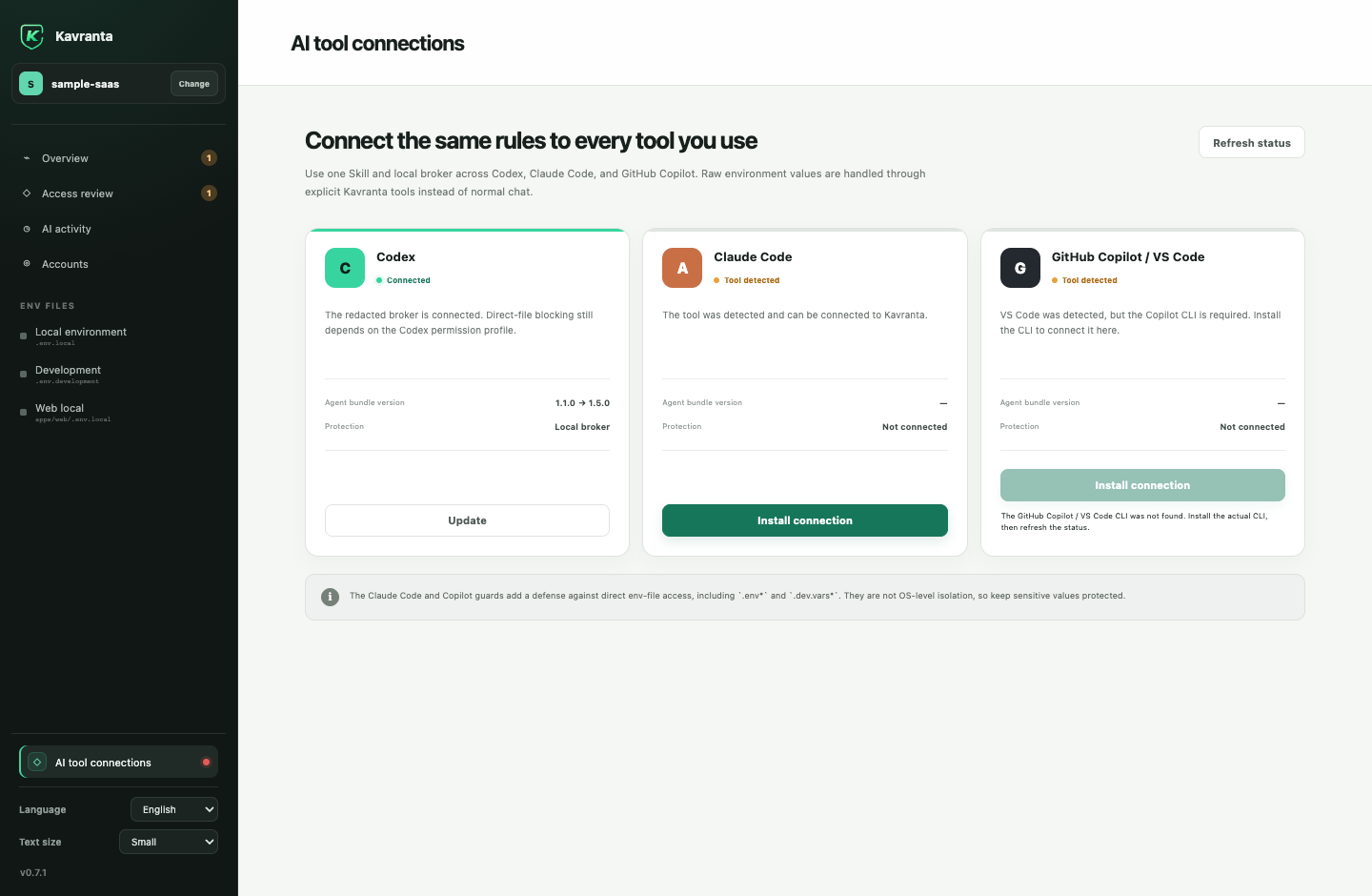
The app shows installed tools, integration versions, and protection layers, supports updates, and retains value-free operation records. For Cursor, installed configuration and actual plugin activation are distinguished. Protection varies by tool policy and settings.
Skills and host hooks do not constitute complete operating-system isolation. The promise is narrow broker permissions and reduced direct access in supported tools.
Allow reusable account information per project
The development branch also adds optional storage in macOS Keychain or Windows Credential Manager. Local records retain account names and project permissions; new accounts start blocked for every project.
Users directly copy allowed items. If unchanged, copied content is cleared from the clipboard after 45 seconds. Allowing an account in a project is separate from allowing AI to retrieve credentials or log in.
Decisions I kept
Design data flow before claiming security
Users already have files their runtimes read. Reducing where values travel and remain was more useful than replacing that workflow. Clear boundaries form the basis of the security promise.
AI permissions should describe operations
Reading an entire environment file is too broad. Seeing structure, creating empty variables, and modifying explicitly allowed links better matches the purpose. Allowed actions need modeling before model performance.
Preserve existing workflows
New commands, vaults, and runtimes create adoption costs. Adding organization and safeguards to existing development and deployment habits lowers that burden.
Show exactly what has been verified
Saving locally, deploying remotely, and confirming equality are different results. The product needs to show status, conflicts, and scope without exposing values or merging all of them into one success indicator.