
Why Ssokpin saves a few places differently from many
From a list to cards, then an adaptive saving flow based on place count and user preferences.
August 30, 2026
Ssokpin extracts places from an Instagram link and saves them to the user’s chosen collection, called a ssok. Initially, I thought a list would be convenient because users needed to save several places at once.
In practice, some posts contained two or three places and others contained nine or more. One screen was uncomfortable for one side or the other. I started with a list, added cards, and eventually kept both according to input size and preferences.
Start with a list and save together
The first flow listed extracted places vertically, let the user choose a collection, and saved them together. With many places, users could scan photos, names, addresses, and categories and remove unwanted entries.
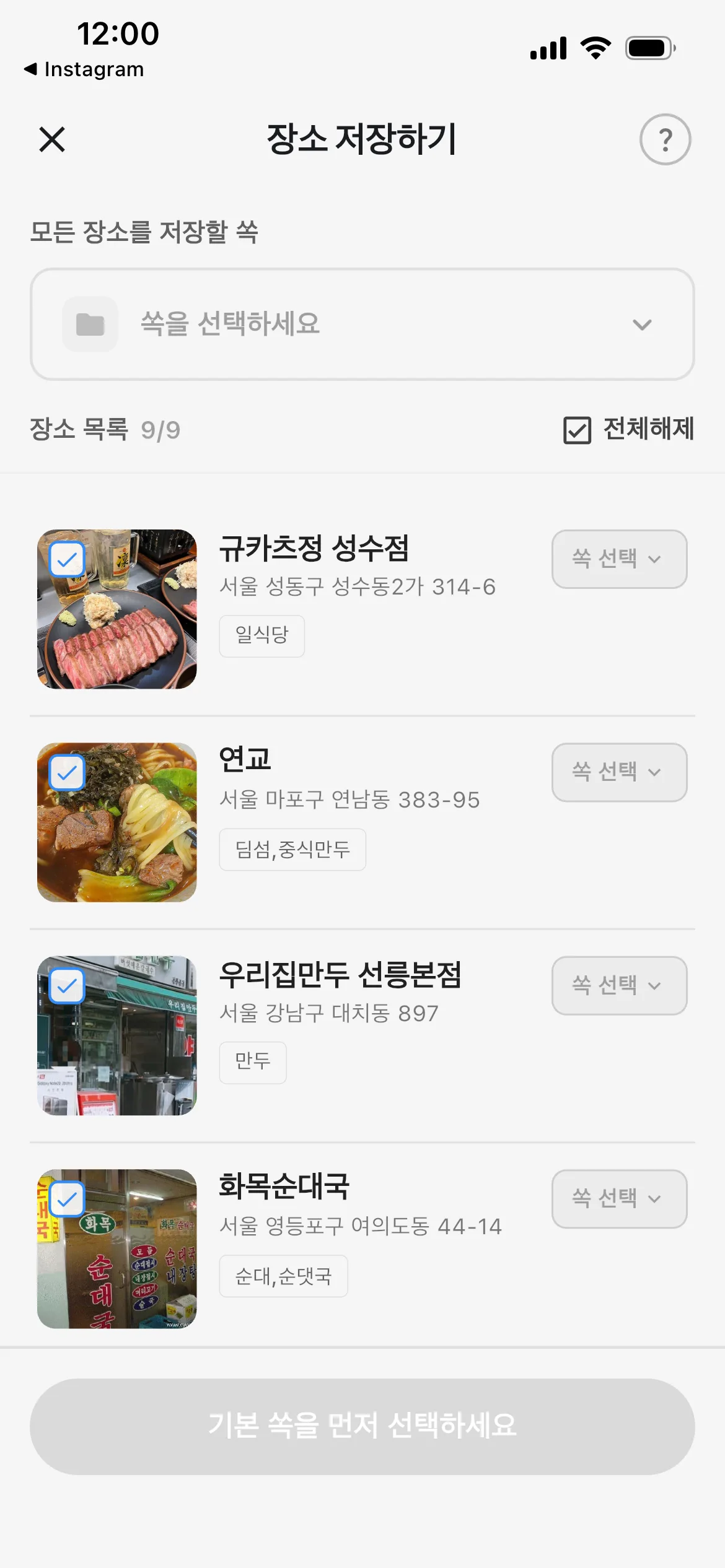
Saving stays disabled until a default collection is selected. Having selected places is insufficient without a destination. The button explains the next action and prevents pins without a collection.
For two or three places, though, users might want a café in a date collection and a restaurant in a later-visits collection. Changing the destination on every list row was possible, but did not feel natural for reviewing each place’s photo and context.
Review fewer candidates one card at a time
Cards focus attention on one place’s photo, name, category, and address. Choose its collection and move to the next card.
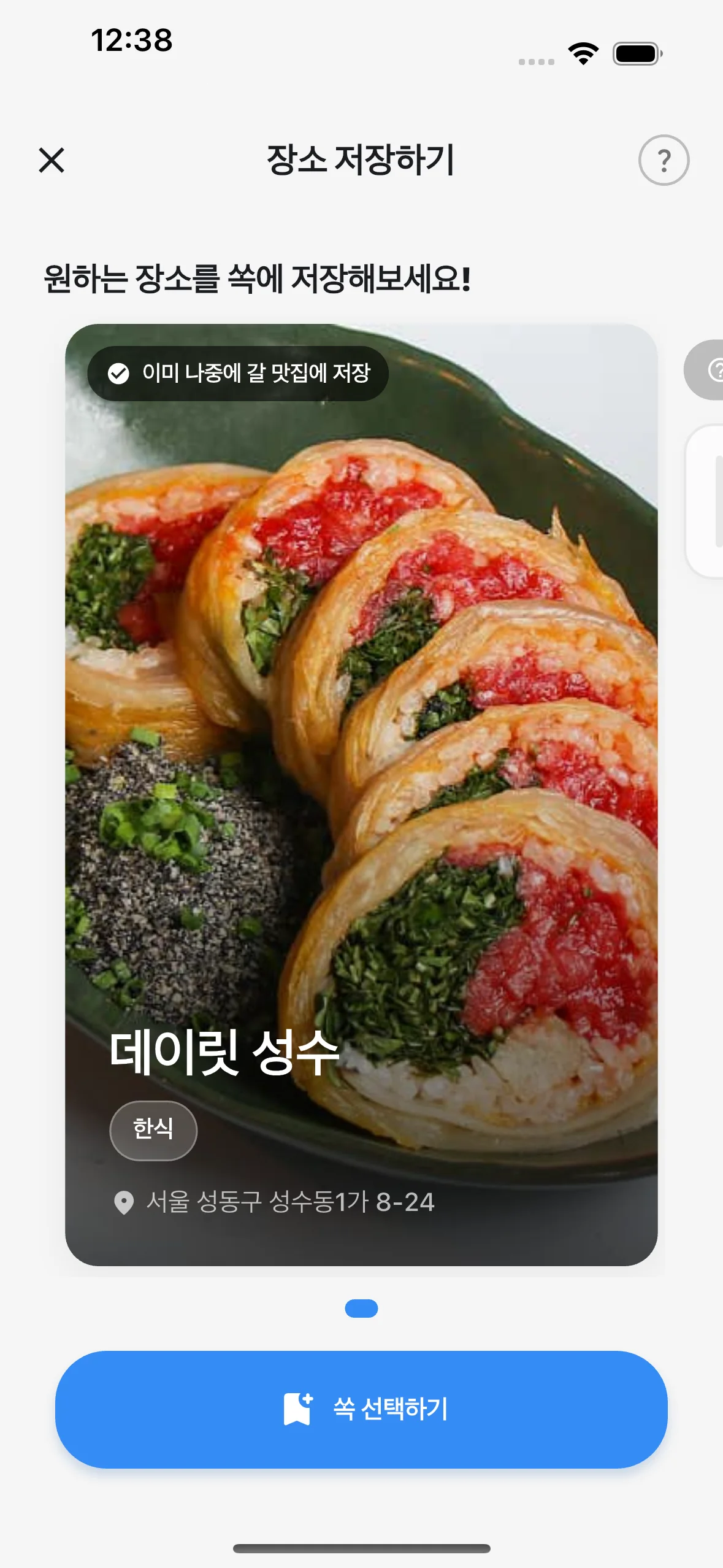

Each place retains its chosen collection independently. Navigation state is separate from save-destination state. After reviewing all places, only selected places are saved.
Already saved places display that fact and their existing collection. Users need the context to decide whether to save again or add the place to another collection.
Many cards became repetitive
Cards work well for a few places. With nine or ten, reviewing a photo, choosing a collection, and advancing becomes tiring. Lists are faster for saving many similar places from one post.
I assigned each flow a role based on input size.
Up to 5 places
  Cards: review each place and choose its collection.

6 or more places
  List: apply a default collection, then exclude items or edit exceptions.
Five is the default threshold, not a universal answer. Users can choose automatic switching, always cards, or always a list, and adjust the switching threshold.
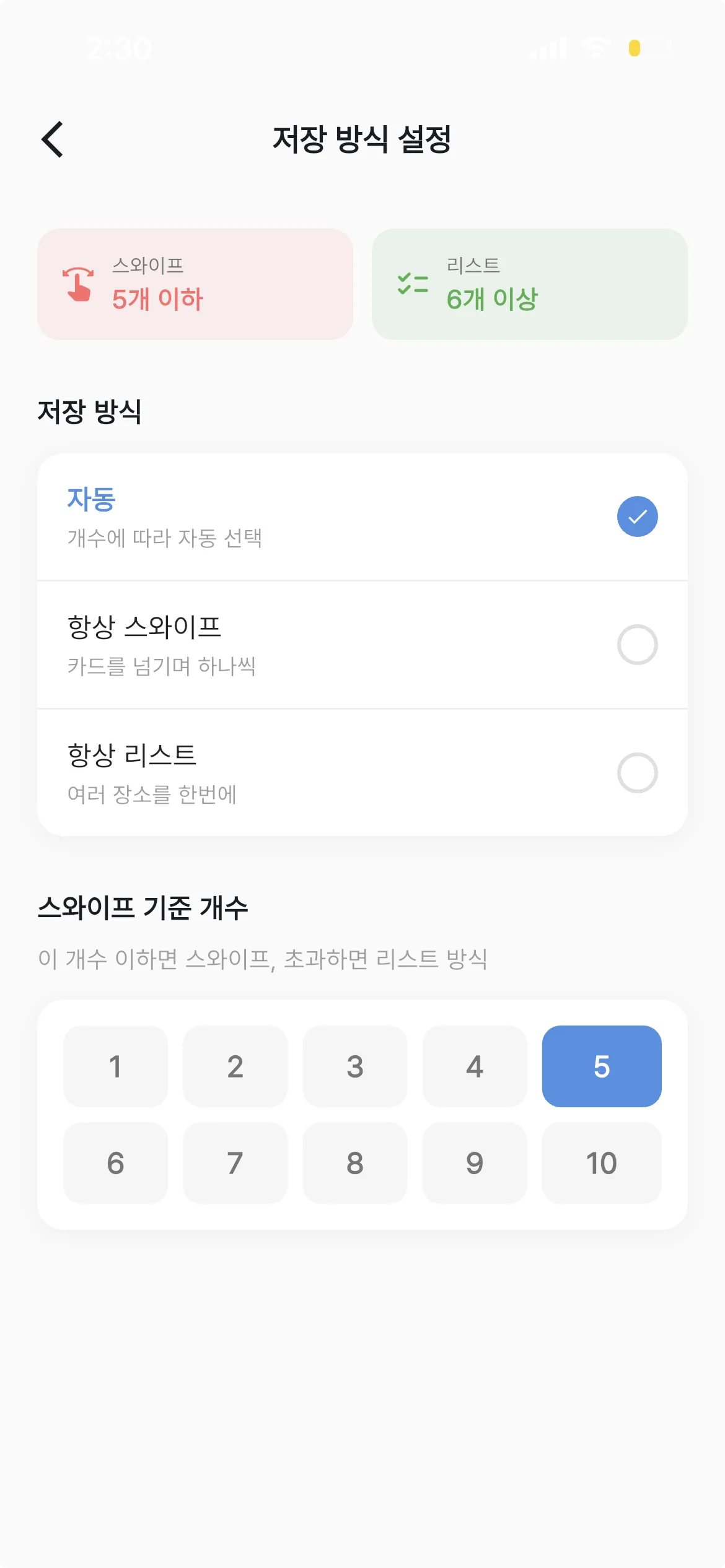
Automation should reduce repeated decisions. Different people prefer the comfort of reviewing each card or the speed of organizing everything together.
Separate the default from exceptions
With many places, users choose one default collection first. They can then move particular places elsewhere or exclude them.
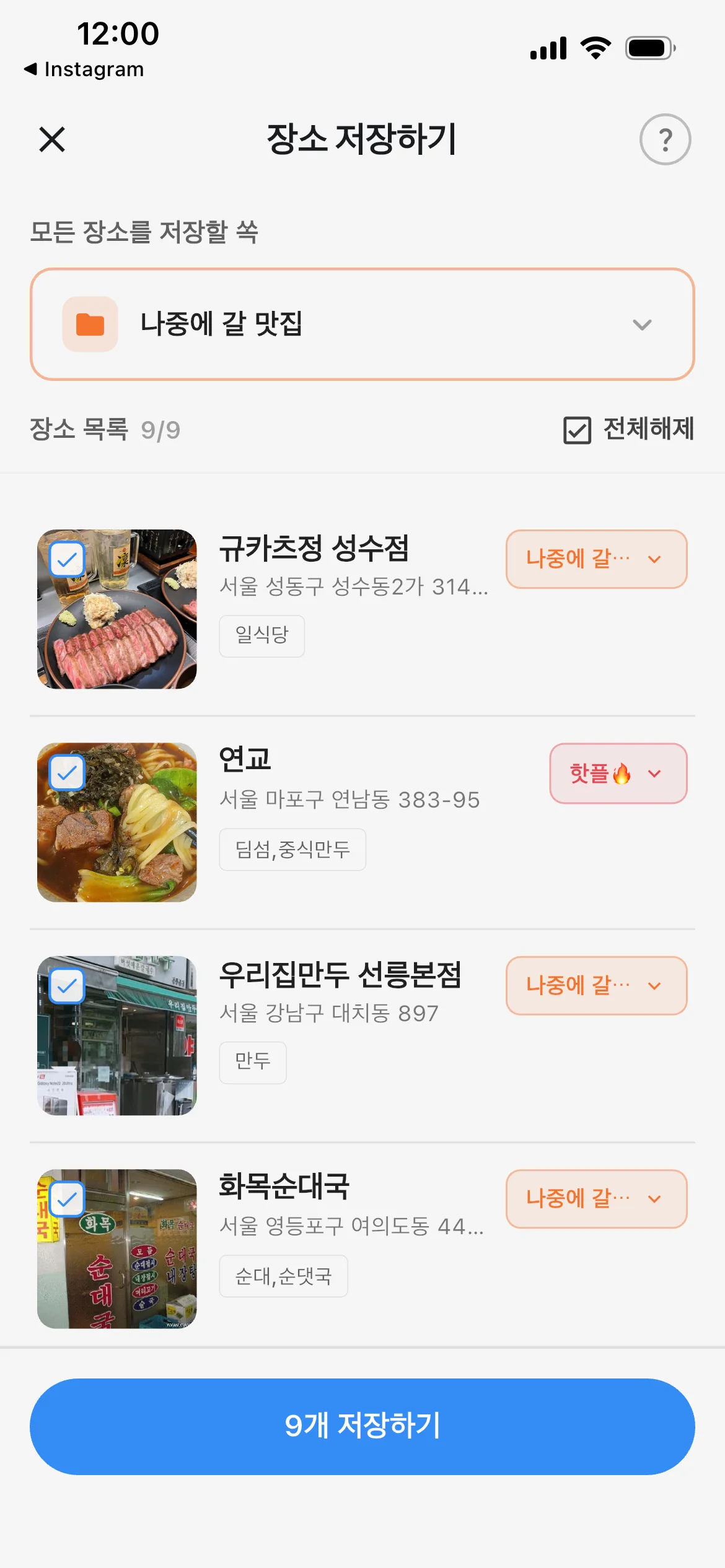
The list supports:
- A selected count such as
9/9. - Select all and deselect all.
- Dimmed excluded entries with an explicit unsaved state.
- Per-place destinations without changing the default.
- Restoring an override to the default.
- Creating a new collection during selection.
- Displaying an existing saved destination.
- A final count and confirmation of how many places will go into how many collections.
Default collection, overrides, exclusions, and already saved places are distinct state. Keeping them separate prevents changes to the default, individual moves, and restored selections from interfering with one another.
Group save requests by collection
“Save nine places” appears as one action, but internally places are grouped by collection.
Restaurants to visit → Places A, C, D, E
Popular places       → Place B
Do not save          → Excluded from the request
Requests remain consistent at the collection level even with different destinations. After saving, the app retains the new pin IDs and opens the map around them: one pin for a single save, or a viewport containing all saved pins for several.
AI supplies candidates; the product reduces decision effort
Finding candidates does not complete the saving experience. The number of places, existing saves, and collection choices change how much judgment is needed.
What mattered was helping users review AI output comfortably and organize it by their own criteria. The model timing comparison and candidate-validation approach are described in Why I chose Gemini for Ssokpin: the wait came first.